Summary
This Christmas card generator free tool asks three questions, who the card is for, what tone you want, and what kind of photo you are using, then returns a painting style match and a two-to-three sentence message you can edit or use as-is. The style picks are based on our own print testing across watercolor, oil pastel, vintage postcard, and paper-cut renders. Nothing is uploaded or saved: the whole thing runs in your browser, and the message text stays editable until you are ready to bring your photo to the full card builder.
A Free Christmas Card Generator For Style And Message
Answer three quick questions about your photo and this Christmas card generator free tool returns a painting style match and a message ready to send, in under a minute.
Three steps once you have your style and message
The generator above is step one. Steps two and three happen on the card builder, with your own photo.
-
1
Get your style and message
Use the tool above. Takes under a minute, nothing to upload yet.
-
2
Upload your photo
Bring the photo you picked and the style match to the card builder. The model paints your actual photo, not a stand-in.
-
3
Print and ship
Cards print on 300gsm stock and ship from Portland, ME. Typical turnaround is about six days to your door, longer during the first two weeks of December.
What the generator is actually doing
No account, no photo upload for this step. Everything below runs in your browser.
Style match, benchmarked
We ran our four rendering styles, watercolor, oil pastel, vintage postcard, paper-cut, against different kinds of photos and tracked which one held up. This tool points you to the strongest match for yours.
A written message, not a fill-in-the-blank
Pick a recipient and a tone, add one detail if you want, and the generator writes two or three sentences that read like you wrote them at your own kitchen table.
Nothing leaves your browser
The style match and the message text are built right here on the page. No account, no photo upload for this step, nothing saved on our end.
What each style actually looks like once it is printed
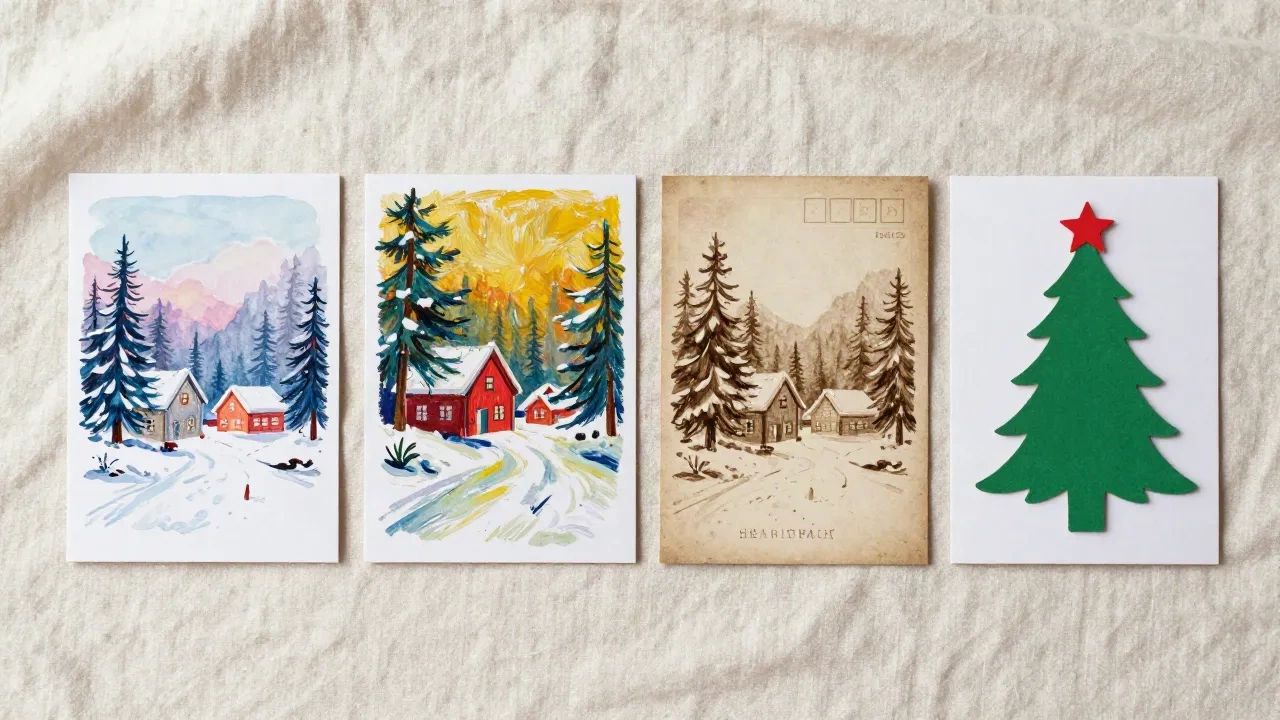
Watercolor softens a face without losing who it is, which is why it is our default for a single close-up portrait. Oil pastel forgives a blurry smile or a photo taken mid-laugh, so it is the one we point kids-and-pets photos toward. Vintage postcard drops the fine detail in favor of a shape that still reads clearly at three inches, useful when four or five faces are packed into one group shot. Paper-cut trades brushwork for flat, graphic shapes, which hold up better than watercolor when there is a busy background behind the subject.
- Watercolor: close-up portraits, one or two faces
- Oil pastel: kids, pets, anything mid-motion
- Vintage postcard: group photos, three or more faces
- Paper-cut: outdoor scenes with a busy background
Questions people actually ask us
Is the Christmas card generator actually free?
Does this upload my photo anywhere?
Where do the style recommendations come from?
Can I change the message after it is generated?
Why does the message change when I click Try another wording?
How is this different from a template site like Shutterfly?
Do I need to know which style I want before I start?
Once I have my style and message, what is next?
Bring your own photo and get the full card
The generator above gets you a style and a message. Upload your photo and we paint it in that style and lay out a print-ready card.